

Nomini Mobile – Browser Play, No App Required
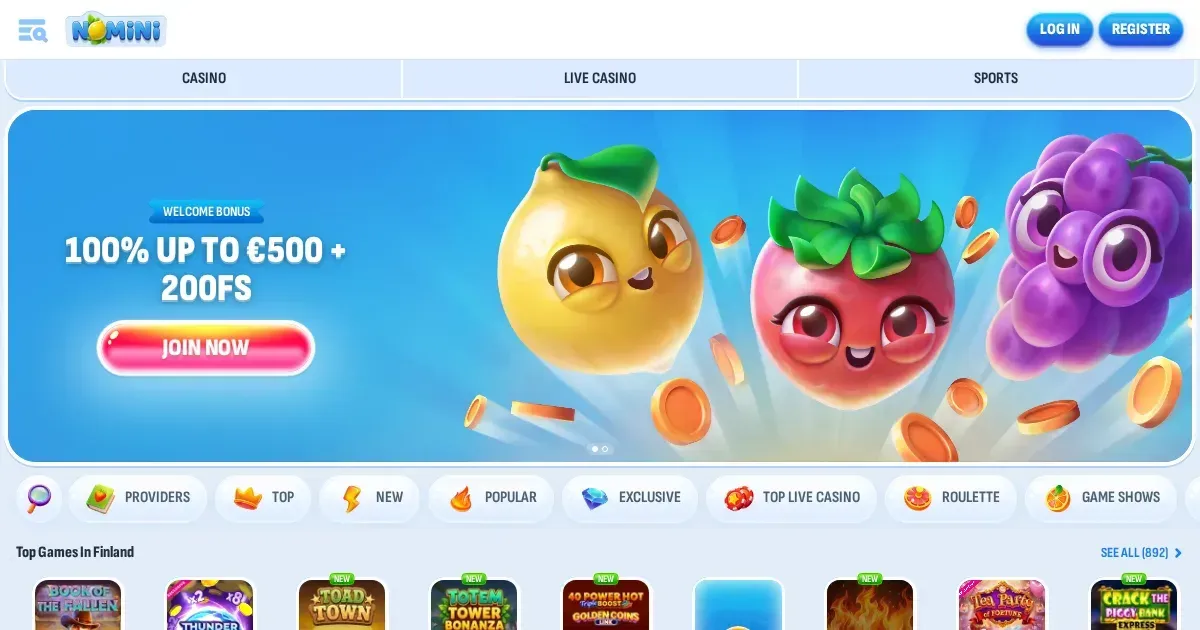















We run Nomini as a browser-based platform, which means you can reach Nomini from any phone or tablet without installing software. Open your mobile browser, navigate to our site, and log in with the same credentials you use on desktop – your account, balance and game history carry over automatically.
What you can do from a phone
Our mobile site gives you access to the full game library – over 10,000 slots, live dealer tables and table games load directly in the browser. The cashier works the same way: deposit using any of our accepted methods, request withdrawals, and check transaction history from the Banking section. Identity verification can be completed on mobile by uploading documents through your account settings, and our 24/7 live chat opens in a sidebar on smaller screens.
Sports betting runs alongside the casino – browse markets, place bets and track results from the same mobile interface. The Shop, where you exchange Coins for bonuses and free spins, is accessible from the menu, as are your Weekly Challenges and Cards Collections progress.
Where mobile falls short
Some provider filters and advanced search options are hidden behind additional taps on a phone screen. Live dealer tables with multiple camera angles can feel cramped on devices under 6 inches – the chat window overlaps the main video feed, and switching views requires closing one panel to open another.
The VIP dashboard, which tracks your 90-day activity window and current tier benefits, displays in a single scrolling column on mobile rather than the desktop's tabbed layout. If you are comparing withdrawal limits across tiers or checking which challenges are close to completion, a larger screen makes the task faster.
| Feature | Mobile Browser | Desktop |
|---|---|---|
| Game library | Full access | Full access |
| Deposits & withdrawals | All methods available | All methods available |
| Live chat support | Sidebar overlay | Docked panel |
| Multi-camera live tables | Single view priority | Picture-in-picture |
| VIP tier tracking | Vertical scroll | Tabbed interface |
Before you play on mobile
Check your connection strength before starting a session – live dealer games and sports betting require a stable link, and a dropped connection during a hand or a bet placement can leave the outcome unclear until you reconnect. Use a secure network rather than public Wi-Fi, especially when accessing the cashier or uploading verification documents.
Confirm you are on nomini.com.es by checking the address bar – phishing sites that mimic the layout are easier to mistake for the real thing on a small screen. If you share a device with others, sign out after each session rather than leaving the browser tab open: our system does not lock the account after a period of inactivity on mobile.
A short mobile checklist
- Verify the site address before entering your login.
- Use a private or mobile data connection, not public networks.
- Set deposit and session limits in your account settings before playing – these stay active across all devices.
- Sign out after each session if the device is shared.
- Keep your phone's operating system and browser updated to avoid compatibility issues with game clients.
Battery drain and session length
Live dealer games with video streams consume more power than slots – expect roughly 60-90 minutes of continuous play on a full charge for most devices. Closing background apps and reducing screen brightness extends this, though video quality may drop if the phone throttles performance to preserve battery.
Long sessions on mobile are more prone to interruptions – incoming calls, notifications and automatic screen locks can all pause gameplay. Our site remembers your position in most slots and table games, but live dealer hands in progress when the screen locks are counted as abandoned and your bet is handled according to the table's rules.
Responsible gambling on a device you always carry
A phone in your pocket makes it easier to play impulsively. Set deposit limits and session reminders in your account settings – these controls apply whether you are on desktop or mobile. If gambling starts to feel like a habit rather than entertainment, our self-exclusion tool is available by contacting support at [email protected].
For free, confidential support in the UK, contact GamCare on 0808 8020 133 (24/7) or visit BeGambleAware.org. GamStop provides free national self-exclusion across licensed sites.
Access to this site is restricted to persons aged 18 and over (18+). If gambling ever stops feeling like entertainment, free and confidential help is available at BeGambleAware.org.
Frequently asked questions
Does Nomini have a mobile app?
We run as a browser-based platform with no native app. You access the full site from any mobile browser using your existing account – no download or installation required.
Can I deposit and withdraw from my phone?
Yes. The cashier on mobile supports all our payment methods. Withdrawal requests process within 3 business days, and you can upload verification documents directly through your account settings.
Do all games work on mobile?
The full library of over 10,000 games loads in your mobile browser. Some live dealer tables with multiple camera angles display better on larger screens, but all games are playable on phones and tablets.
Game Providers